DriveEzMD Scam Text: 7 Facts You Must Know
The DriveEzMD scam text is a smishing campaign impersonating the Maryland Transportation Authority and the DriveEzMD toll system. Maryland drivers and out-of-state visitors have received fake unpaid-toll text messages — this guide explains how the DriveEzMD scam text works and how to spot it.
⚡ Quick Summary — DriveEzMD Scam Text
- What it is: the DriveEzMD scam text is a smishing campaign that sends fake “unpaid toll” SMS messages claiming to be from the Maryland Transportation Authority’s DriveEzMD electronic tolling system
- Why it matters: the DriveEzMD scam text has spread far beyond Maryland — recipients across the country are receiving the texts, including people who have never crossed a Maryland toll bridge or tunnel
- The biggest three signs: a text demanding payment from any DriveEzMD look-alike sender, a link to a domain that is not exactly driveezmd.com, and urgency about a small dollar amount
- How it reaches you: SMS/iMessage to mobile phones, sometimes WhatsApp, with sender names like “DriveEzMD,” “MD Toll Services,” “Maryland E-ZPass,” or numeric short codes
- The golden rule: DriveEzMD never sends payment-due notifications by unsolicited text. Any DriveEzMD-branded text demanding immediate payment is the DriveEzMD scam text — verify directly at driveezmd.com or by calling 1-888-321-6824
⚠️ Already Clicked or Paid?
Do not enter any further details. Contact your bank using the number on the back of your card and request a fraud freeze on any card details you entered. Report the message to DriveEzMD at driveezmd.com and forward the SMS to 7726 (SPAM). Then jump to the What to Do If You Have Been Targeted section.
📋 Table of Contents
- What Is the DriveEzMD Scam Text?
- How the DriveEzMD Scam Text Works, Step by Step
- The 10 DriveEzMD Scam Text Warning Signs
- DriveEzMD Scam Text Sister Variants
- Real Stories: When the Signs Were Missed
- What Authorities Say
- How to Protect Yourself
- What to Do If You Have Been Targeted
- Where to Report It
- Frequently Asked Questions
- Related Scam Guides
What Is the DriveEzMD Scam Text
The DriveEzMD scam text is a smishing operation that impersonates the Maryland Transportation Authority (MDTA) and its consumer-facing DriveEzMD electronic tolling brand. DriveEzMD administers tolls across Maryland’s major crossings — the Fort McHenry Tunnel, the Baltimore Harbor Tunnel, the Chesapeake Bay Bridge, the Francis Scott Key Bridge, the Hatem and Tydings bridges, and the I-95 Express Toll Lanes. Victims of the DriveEzMD scam text receive a text message claiming a small unpaid toll balance and a link to “pay now” — the link leads to a phishing site that harvests card details, names, and addresses.
The DriveEzMD scam text is part of a much larger toll-smishing wave that has hit every major US toll authority since 2024. The same criminal infrastructure that runs the DriveEzMD scam text also runs near-identical campaigns impersonating RiverLink in Kentucky and Indiana, BayAreaFasTrak in California, the Ohio Turnpike, the Illinois Tollway, NYTollServices, and NC Quick Pass in North Carolina. Only the branding changes — the playbook is identical.
What makes the DriveEzMD scam text particularly effective is the small claimed amount combined with the genuine prevalence of DriveEzMD usage across Maryland and the DC metro region. The fake unpaid-toll figure is almost always under $10 — sometimes as little as $4.55 — designed to feel trivial enough that the victim pays without examining the URL or the sender carefully. Many Maryland and DC area drivers do hold real DriveEzMD accounts, which makes the lure feel plausible at first glance.
The DriveEzMD scam text targets victims by phone number rather than by actual toll usage. Lists of US mobile numbers are bought in bulk on dark-web markets, then bombarded with the DriveEzMD scam text regardless of whether the recipient lives in Maryland, has ever crossed a Maryland toll facility, or has ever held a DriveEzMD account. Many recipients of the DriveEzMD scam text have never even visited the East Coast.
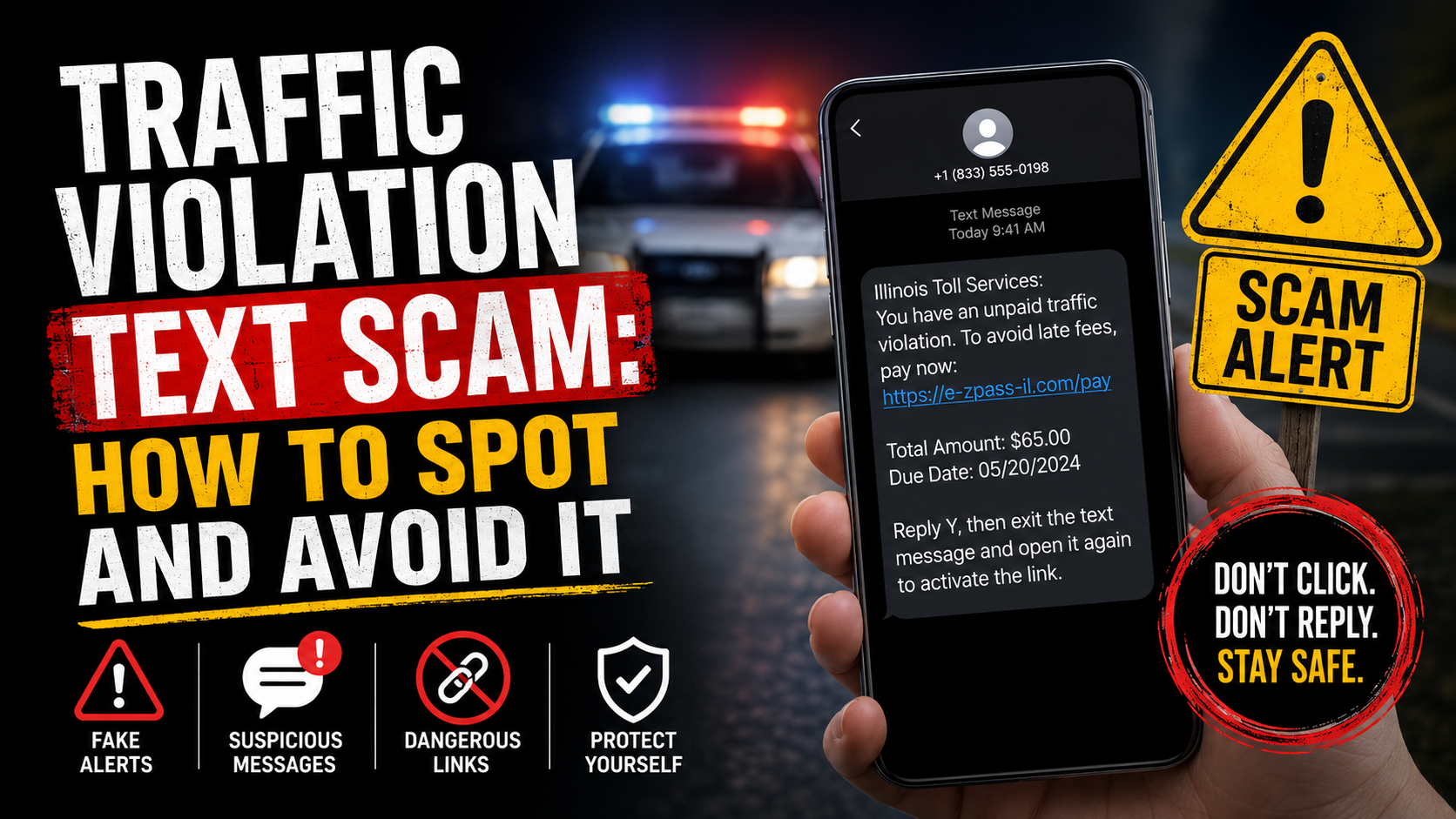
Despite the regional branding, the scam follows the same playbook as every other smishing fraud: a believable sender, a small urgent amount, a look-alike domain, and a payment form that captures card data. The same approach is documented in our phishing scam pillar, the NC Toll Invoice Scam neighbouring-state guide, the NYTollServices Scam guide, and the traffic violation text scam broader category guide.
How the DriveEzMD Scam Text Works, Step by Step
The DriveEzMD scam text follows the same six-stage pattern used by every smishing campaign that has hit US toll authorities since 2024. Recognising the structure makes the individual warning signs easier to spot before any payment information is entered.
Step 1: The Phone Number Harvest
The DriveEzMD scam text begins with bulk phone-number lists. The criminals buy or obtain millions of US mobile numbers from data brokers, leaked breach dumps, and dark-web marketplaces. The lists are not filtered by Maryland residency — anyone with a US mobile number is a potential target.
This is why people who have never driven in Maryland — or even visited the DC metro region — still receive the smishing text. The criminals do not know or care whether the recipient has any genuine reason to interact with DriveEzMD. The volume of texts sent means even a tiny conversion rate is profitable.
Step 2: The Smishing Text
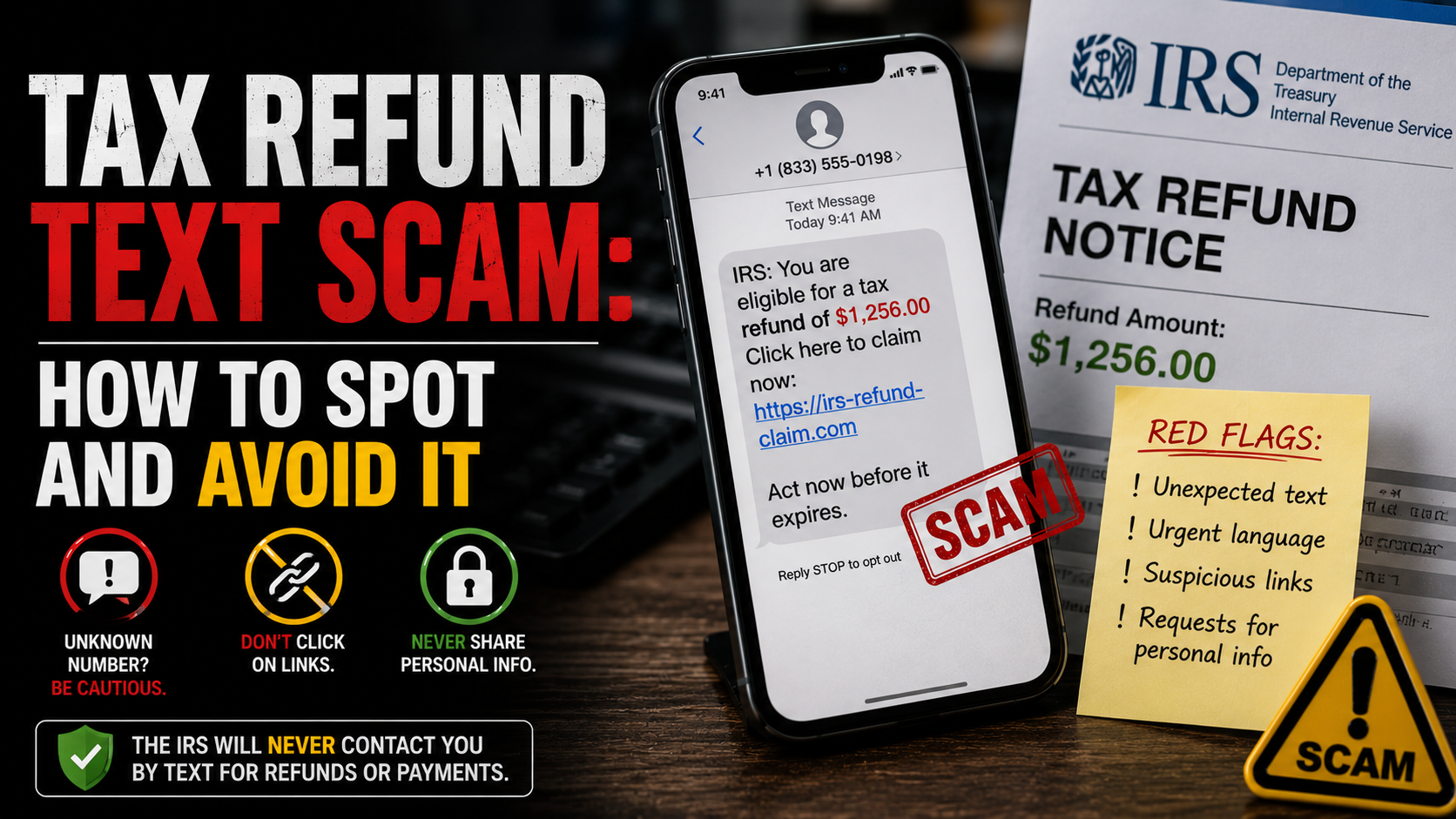
The DriveEzMD scam text arrives looking convincingly official. A typical message reads: “DriveEzMD: You have an outstanding toll balance of $4.55. To avoid late fees and MVA registration holds, please pay immediately at driveezmd-paynow.com/balance/[random-string].” Sender names include “DriveEzMD,” “MD Toll Services,” “Maryland E-ZPass,” “MDTA Tolls,” or numeric short codes.
The text deliberately mimics a real notification from DriveEzMD — short, urgent, low-dollar, and link-driven. The DriveEzMD scam text also uses iMessage delivery where possible to add the apparent legitimacy of a blue-bubble message rather than an SMS short code, and to bypass carrier-level spam filtering.
Step 3: The Look-Alike Domain
The link in the smishing text never points to the real driveezmd.com. Instead it points to a look-alike domain — driveezmd-paynow.com, driveezmd-portal.online, ezmd-toll.com, mdtolls-pay.com, or hundreds of similar variations. These domains are registered in bulk, rotated every few days as they get blocked, and hosted on infrastructure designed to evade takedown.
The look-alike domain in the DriveEzMD scam text is the single most reliable verification check. The genuine DriveEzMD uses exactly driveezmd.com — anything else, including subdomains, hyphenated variations, or alternative TLDs, is fraudulent.
Step 4: The Phishing Form
When the victim clicks the link, the DriveEzMD scam text landing page renders a near-perfect clone of the real DriveEzMD payment portal. The logo, fonts, colours, and layout are copied. The victim is prompted to enter a name, address, phone number, and full card details — including the CVV — to pay the small claimed amount.
The form processes the payment for the trivial sum, then thanks the victim and closes. To the victim, the DriveEzMD scam text appears resolved. In reality, the card details have been captured and the larger fraud is just beginning.
Step 5: Card Monetisation
Once the criminals have card details from the DriveEzMD scam text, monetisation begins. The card is typically used for high-value online purchases routed through reshipping mules, or sold in bulk on dark-web markets to other criminals. The small “toll payment” was a tiny test charge to verify the card was live.
Victims of the DriveEzMD scam text often see fraudulent charges appear within hours or days. The amounts vary from a few hundred dollars to thousands. Card issuers usually reverse the charges under zero-liability policies — but only if the victim reports promptly.
Step 6: Identity Layer-On
Beyond the immediate card fraud, the DriveEzMD scam text often harvests enough personal data to feed downstream identity theft. Name, address, phone, and card number provide a foundation that criminals combine with data from other breaches to attempt new-account fraud, mobile carrier port-outs, and synthetic identity theft. This is why the DriveEzMD scam text overlaps with our identity theft scams guide.
The 10 DriveEzMD Scam Text Warning Signs
🚩 The 10 Warning Signs of the DriveEzMD Scam Text
- 1. A text claims an unpaid toll balance. DriveEzMD does not notify users of unpaid tolls by SMS — full stop. Any DriveEzMD or MDTA-branded text demanding payment is the DriveEzMD scam text, regardless of how official it looks or how small the amount appears.
- 2. The link is not exactly driveezmd.com. The real DriveEzMD uses one domain. Look-alikes like driveezmd-paynow.com, driveezmd-portal.online, ezmd-toll.com, or anything hyphenated are confirmed DriveEzMD scam text infrastructure. Check the URL character by character.
- 3. You have never driven a Maryland toll facility. DriveEzMD covers the Fort McHenry Tunnel, the Bay Bridge, the Francis Scott Key Bridge, the I-95 Express Toll Lanes, and a handful of other Maryland crossings. If you have never driven any of them, you cannot owe DriveEzMD — any claimed balance is fraud.
- 4. The amount is small and the deadline is tight. The DriveEzMD scam text uses figures under $10 and threatens late fees or MVA registration holds within hours. Real toll arrears are billed by mail with a generous payment window — never by text demanding payment within the same day.
- 5. The sender shows as a long number, a 5-digit short code, or “DriveEzMD” without spaces. DriveEzMD itself does not send transactional texts. Any sender claiming to be DriveEzMD is part of the fraud, including ones that look slightly off such as “MD Toll Bureau” or “DriveEzMD Inc.”
- 6. The text arrives by iMessage, WhatsApp, or any non-SMS channel. Toll authorities do not communicate over consumer messaging apps. iMessage and WhatsApp variants of the DriveEzMD scam text are designed to add false legitimacy through the blue-bubble appearance.
- 7. The link requires you to enter a full card number, including CVV, for a few dollars. Genuine micropayments do not require full card details every time — they use stored credentials, Apple Pay, or Google Pay. Asking for full card data for $4 is the tell.
- 8. The page asks for unrelated personal data. DriveEzMD scam text phishing forms often request Maryland driver licence number, SSN, or date of birth alongside payment. These have no role in toll collection — their presence confirms identity-theft intent on top of the card fraud.
- 9. The message arrives in a wave with multiple variations. Many DriveEzMD scam text victims receive 2-3 versions over a few days from slightly different sender IDs as the criminals A/B test which messages convert. A repeated wave with shifting branding is fraud, not a real toll issue.
- 10. You cannot find the issue in your real DriveEzMD account. Log into the genuine driveezmd.com directly. If no balance appears in the official account, the texted balance does not exist — it is the DriveEzMD scam text in progress.
DriveEzMD Scam Text Sister Variants
5 VariantsThe DriveEzMD scam text is one of many regional smishing campaigns that share the same underlying infrastructure and playbook. The criminal networks rotate the impersonated brand based on the state list they are targeting — but the warning signs are identical. These are the five sister variants of the fraud.
RiverLink Smishing
The Kentucky/Indiana sister scamBayAreaFasTrak Smishing
The California sister scamOhio Turnpike Smishing
The E-ZPass-OH sister scamIllinois Tollway Smishing
The I-PASS sister scamNC Toll Smishing
The North Carolina sister scamReal Stories: When the Signs Were Missed
The Baltimore Commuter and the $8.95 Tunnel Toll
A 51-year-old hospital administrator from Baltimore who crosses the Fort McHenry Tunnel daily received a DriveEzMD scam text claiming an $8.95 unpaid balance. Because she actually held a DriveEzMD account and had crossed the tunnel that morning, the message seemed credible. She clicked the link, which led to a near-perfect DriveEzMD clone at driveezmd-portal.online, and paid the $8.95 with her debit card.
Two days later, her bank alerted her to a $426 charge from an overseas merchant. Her bank reversed the fraudulent charge and issued a new card — but the criminals had also harvested her name, address, and phone number, which began appearing on phishing lists for unrelated frauds over the following months.
The lesson: legitimate use of a service does not validate every message claiming to be from it. DriveEzMD does not send SMS payment requests under any circumstances. Verifying the balance directly at driveezmd.com would have exposed the DriveEzMD scam text in under thirty seconds.
The Columbia Worker and the Credit Card Attempt
A 38-year-old project manager in Columbia, Maryland received a DriveEzMD scam text while at work. He did not recall owing any tolls but panicked under the urgency framing and entered his Maryland driver licence number and SSN to “verify the registered vehicle owner.” A week later, he discovered someone had attempted to open a credit card in his name.
He froze his credit at all three bureaus and disputed every entry — months of work caused by a single click on what turned out to be the DriveEzMD scam text. The credit application had been flagged before it succeeded, but the harvested data continued to circulate on criminal lists.
The lesson: scare tactics about MVA holds and vehicle registration are designed to override the natural pause that would otherwise lead to verification. Driver licence number and SSN have no role in paying a toll. Their request in a payment form is the second-layer warning that this is not just a card-skimming operation.
The Out-of-State Visitor Who Has Never Crossed the Bay Bridge
A 44-year-old contractor from Phoenix, Arizona received four different DriveEzMD scam text messages over three weeks. He has never driven in Maryland and has no idea what DriveEzMD is. The first three he ignored; the fourth looked official enough that he searched the sender phone number, found warnings about the DriveEzMD scam text, and reported the texts to the FTC.
He had not been a victim — but his phone number was clearly on a circulated criminal list. Over the same period he received variants impersonating RiverLink, BayAreaFasTrak, NC Quick Pass, and a fake “Arizona Toll Services” message that mentioned roads he had never driven. All from the same campaign infrastructure, rotated across the toll brands.
The lesson: this scam targets phone numbers, not actual drivers. Receiving the text proves nothing about your real toll history. If you have never used DriveEzMD, the texts are fraud; if you have used DriveEzMD, the texts are still fraud because DriveEzMD does not contact customers this way.
What Authorities Say
US consumer protection bodies and the Maryland toll authority itself have all issued public warnings about the DriveEzMD scam text and the broader toll-smishing wave it belongs to.
The FBI’s Internet Crime Complaint Center (IC3) issued a public service announcement specifically about US toll-smishing in 2024 and has updated it since. The IC3 confirms that the DriveEzMD scam text and its sister variants are part of a coordinated criminal infrastructure that has expanded to nearly every US state with major tolled roads. Report at ic3.gov.
The Federal Trade Commission has published consumer alerts about toll-text scams including the DriveEzMD scam text. The FTC stresses three core rules: real toll agencies do not text you about unpaid tolls, look-alike domains are the giveaway, and reporting at reportfraud.ftc.gov directly helps the takedown effort against the criminals running these campaigns.
The Maryland Transportation Authority (MDTA) and its DriveEzMD brand have issued multiple public warnings on the official site at driveezmd.com and via press releases. The Authority confirms it never sends payment-due SMS messages and operates only the driveezmd.com domain. Any DriveEzMD-branded text demanding payment is the DriveEzMD scam text by definition.
The Maryland Attorney General’s office and the Maryland Department of Transportation have warned Maryland drivers about the DriveEzMD scam text through public-safety bulletins. These advisories note the criminal pattern is identical to the parking-fine and traffic-violation smishing operations the same networks run across other US states and abroad.
Mobile carriers including AT&T, T-Mobile, and Verizon have all set up the 7726 (SPAM) short code as a free reporting route. Forwarding the smishing text to 7726 helps carriers block the sender at the network level — an effective community-level mitigation against the campaign.
How to Protect Yourself
Treat Every Toll-SMS as Fraud by Default
The single most effective protection against the scam is to treat any text claiming to be from a toll authority as fraud, regardless of how authentic it looks. DriveEzMD, RiverLink, BayAreaFasTrak, the Ohio Turnpike, the Illinois Tollway, NC Quick Pass, and every other US toll system have publicly confirmed they do not send payment-due SMS messages. The arrival of the text is itself the proof of the fraud.
This single rule defeats the overwhelming majority of toll-text fraud at first contact. The criminals depend on the small fraction of recipients who do not know the rule. Once you know it, the DriveEzMD scam text cannot reach you regardless of how convincing the message appears.
Verify Balances Only via Official Channels
If you genuinely use DriveEzMD and want to confirm your toll balance, type driveezmd.com directly into your browser. Do not click any link in any text. Do not search for “driveezmd login” and click the first result — sponsored search ads for the fraud look-alikes have been documented. Type the URL directly.
You can also call DriveEzMD customer service at 1-888-321-6824 — the number printed on official DriveEzMD mail and on the genuine driveezmd.com site. If the message wants you to call a different number, that number is part of the criminal infrastructure.
Forward Suspicious Texts to 7726
Every major US mobile carrier supports the 7726 (SPAM) reporting short code. Forward the smishing text to 7726 and the carrier’s spam-filtering system processes it — helping block similar messages to other customers and contributing data to the takedown effort.
Forwarding is free, takes seconds, and works regardless of carrier. After forwarding, delete the smishing text from your inbox so you do not accidentally tap the link later.
Block the Sender and Report on iMessage
On iPhone, long-press the DriveEzMD scam text message and choose “Report Junk” — Apple’s built-in tool that reports the sender to Apple for blocking. On Android, use the “Report spam” option in your messaging app. Both options take a few seconds and help shrink the senders’ reach.
Block the sender number afterwards so future DriveEzMD scam text variants from the same source do not reach your inbox. The criminals will rotate to new numbers, but blocking each one slows them down.
Never Enter Card Details After Clicking an SMS Link
If you accidentally clicked a DriveEzMD scam text link, close the tab immediately. Do not enter any details — name, email, card number, anything. Closing the tab before entering data means no information was captured beyond the click event itself, which by itself is not enough for the criminals to use against you.
If you did enter data, contact your card issuer through the number on the back of the card and request a fraud freeze. Then change passwords on any account that uses the same email address you entered.
Educate Family Members — Especially Elderly Drivers
The DriveEzMD scam text disproportionately targets older drivers who are less likely to scrutinise URLs or recognise smishing patterns. Show this guide to elderly relatives who drive in Maryland or the DC region. Explain that no US toll authority — DriveEzMD, RiverLink, BayAreaFasTrak, anyone — sends payment-due texts under any circumstances.
One conversation prevents the DriveEzMD scam text from reaching the most-targeted demographic. Most prevention happens at this conversation, not at the bank’s fraud department after the fact.
Watch Card Activity for Weeks After Any Click
Even if you only clicked the DriveEzMD scam text link without entering anything, the criminals now know your phone number actively engages with their messages. You will likely receive more smishing attempts. Watch card and bank activity for at least 30 days after any click, and consider enabling transaction alerts on every account so unauthorised charges surface immediately.
What to Do If You Have Been Targeted
If you have already entered card details or personal information through a DriveEzMD scam text link, act quickly. The steps below give you the best chance of limiting the damage and preventing the downstream identity-theft attacks that often follow.
Contact your card issuer immediately
Call your bank or card issuer using the number on the back of your card. Report the DriveEzMD scam text transaction and request a fraud freeze on the card. Most issuers will block the card, issue a new one, and reverse any fraudulent charges under zero-liability policies — but only if you report promptly.
Speed is critical with the DriveEzMD scam text because the criminals typically use harvested cards within hours of capture. The earlier you call your issuer, the more of the downstream fraud you cut short.
Report to the FBI IC3 and the FTC
File a report at ic3.gov and at reportfraud.ftc.gov. Include the sender number, the text content, the look-alike URL, and any amount paid. Both agencies use the data to coordinate takedowns and warn the public about active DriveEzMD scam text waves.
Forward the original text to 7726 (SPAM) at the same time. Carrier-level reporting and federal reporting feed different systems — both contribute to disrupting the criminal infrastructure.
Contact DriveEzMD directly
Report the impersonation to DriveEzMD via the contact page at driveezmd.com or by calling 1-888-321-6824. Include screenshots of the text and the look-alike URL. The MDTA works with security firms and law enforcement to take down the fake domains, and the more reports they receive the faster the takedowns happen.
If you have a genuine DriveEzMD account, log in directly and check for any unauthorised changes. The DriveEzMD scam text typically only steals payment data, but some campaigns also attempt to compromise the underlying DriveEzMD account if the victim reused their account password.
Protect against downstream identity theft
If you provided Maryland driver licence number, SSN, address, or date of birth, assume identity-theft attempts are coming. Place a fraud alert with Experian, Equifax, and TransUnion — free 90-day initial alerts, or seven-year extended alerts for confirmed victims.
Consider freezing your credit at all three bureaus. This blocks new-account fraud that often follows when the DriveEzMD scam text captures enough identity data. Visit IdentityTheft.gov for a tailored recovery plan.
Watch for follow-up recovery scams
Victims are often targeted next by “recovery” scams — cold-callers claiming they can retrieve the lost funds for an upfront fee. These are secondary frauds run by the same criminal networks using sold victim lists. Treat any cold-caller offering DriveEzMD scam text recovery as a follow-up fraud and refuse all engagement.
Legitimate recovery routes are your card issuer, your bank, IC3, the FTC, and the credit bureaus — none of which charge upfront fees. Recovery-fee demands are the surest sign of the DriveEzMD scam text version two.
Where to Report It
Reporting the DriveEzMD scam text helps authorities take down the infrastructure, warn future victims, and pursue the criminal networks behind the campaign. Use all four channels — they feed different systems.
Frequently Asked Questions
Think You have Been Scammed?
Act fast — contact your card issuer, report to IC3 and FTC, then forward the text to 7726.