PCN Scam: 10 Warning Signs You Must Not Ignore
The PCN scam is a smishing and phishing campaign that impersonates UK local councils, Transport for London, and the DVLA by sending fake Penalty Charge Notice messages. Drivers across the UK have received fraudulent unpaid-fine texts and emails — this guide explains how the PCN scam works and how to spot it.
⚡ Quick Summary — PCN Scam
- What it is: the PCN scam is a smishing and phishing campaign that sends fake Penalty Charge Notice messages claiming to be from UK local councils, Transport for London (TfL), or the DVLA
- Why it matters: the PCN scam has surged alongside ULEZ expansion, low-emission-zone enforcement, and council parking digitisation — recipients across the UK and beyond are receiving the messages, including people who do not even own a vehicle
- The biggest three signs: a text or email from any council or TfL look-alike sender, a link to a domain that is not gov.uk or tfl.gov.uk, and urgency about an unpaid fine
- How it reaches you: SMS/iMessage to UK mobile phones, email, sometimes WhatsApp, with sender names like “TfL,” “DVLA,” “Council Tax,” “London Penalty Notice,” or numeric short codes and spoofed email addresses
- The golden rule: real UK Penalty Charge Notices arrive by post first, never by unsolicited SMS or email demanding immediate payment. Any text or email PCN demanding same-day payment is the PCN scam — verify directly at the council’s official .gov.uk site or at tfl.gov.uk
⚠️ Already Clicked or Paid?
Do not enter any further details. Contact your bank using the number on the back of your card and request a fraud freeze on any card details you entered. Report the message to Action Fraud at actionfraud.police.uk or by calling 0300 123 2040, and forward any SMS to 7726 (SPAM). Then jump to the What to Do If You Have Been Targeted section.
📋 Table of Contents
What Is the PCN Scam
The PCN scam is a smishing and phishing operation that impersonates UK Penalty Charge Notice issuers — local councils, Transport for London, the DVLA, and occasionally Highways England. A real Penalty Charge Notice is the formal civil penalty issued by these bodies for parking contraventions, bus lane infringements, congestion charge violations, ULEZ non-compliance, and similar regulatory breaches. The PCN scam abuses the official-sounding “PCN” label to send fake unpaid-fine notices that lead victims to phishing payment portals.
Victims of the PCN scam receive a text message or email claiming an unpaid Penalty Charge Notice and a link to “pay now to avoid further action.” The link leads to a phishing site that harvests card details, names, addresses, and driving licence numbers. The fraud has surged in the UK since 2023 in parallel with TfL’s ULEZ expansion, local council parking digitisation, and the broader move toward camera-enforced civil penalties.
The PCN scam is part of the same global criminal infrastructure that runs near-identical campaigns abroad — including the US toll-smishing wave impersonating brands like RiverLink, BayAreaFasTrak, the Ohio Turnpike, the Illinois Tollway, and the fictional NYTollServices brand. Only the regional label changes — the look-alike-domain playbook is identical. Our RiverLink scam guide documents the closest US analogue.
What makes the PCN scam particularly effective in the UK is the genuine prevalence of real PCNs. Millions of UK drivers receive real Penalty Charge Notices every year for parking and traffic offences. The familiarity makes the fake versions feel plausible — most people have either had a real PCN or know someone who has. The PCN scam exploits that familiarity to trigger the pay-quickly impulse before the victim verifies the source.
This scam targets victims by phone number and email rather than by actual driving history. Lists of UK mobile numbers and email addresses are bought in bulk on dark-web markets, then bombarded with the PCN scam messages regardless of whether the recipient owns a vehicle, drives in any ULEZ or congestion zone, or has ever received a real Penalty Charge Notice. Many recipients do not even hold a UK driving licence.
How the PCN Scam Works, Step by Step
The scam follows a consistent six-stage pattern. Recognising the structure makes the individual warning signs easier to spot before any payment information is entered.
Step 1: The Contact Harvest
The PCN scam begins with bulk contact lists. The criminals buy or obtain millions of UK mobile numbers and email addresses from data brokers, leaked breach dumps, and dark-web marketplaces. The lists are not filtered by vehicle ownership or driving history — anyone with a UK mobile number or email is a potential target.
This is why people who have never driven in a ULEZ zone — or who do not even own a vehicle — still receive PCN scam messages. The criminals do not know or care whether the recipient has any genuine reason to receive a Penalty Charge Notice. The sheer volume of messages sent means even a fraction of a percent conversion rate is profitable.
Step 2: The Smishing or Phishing Message
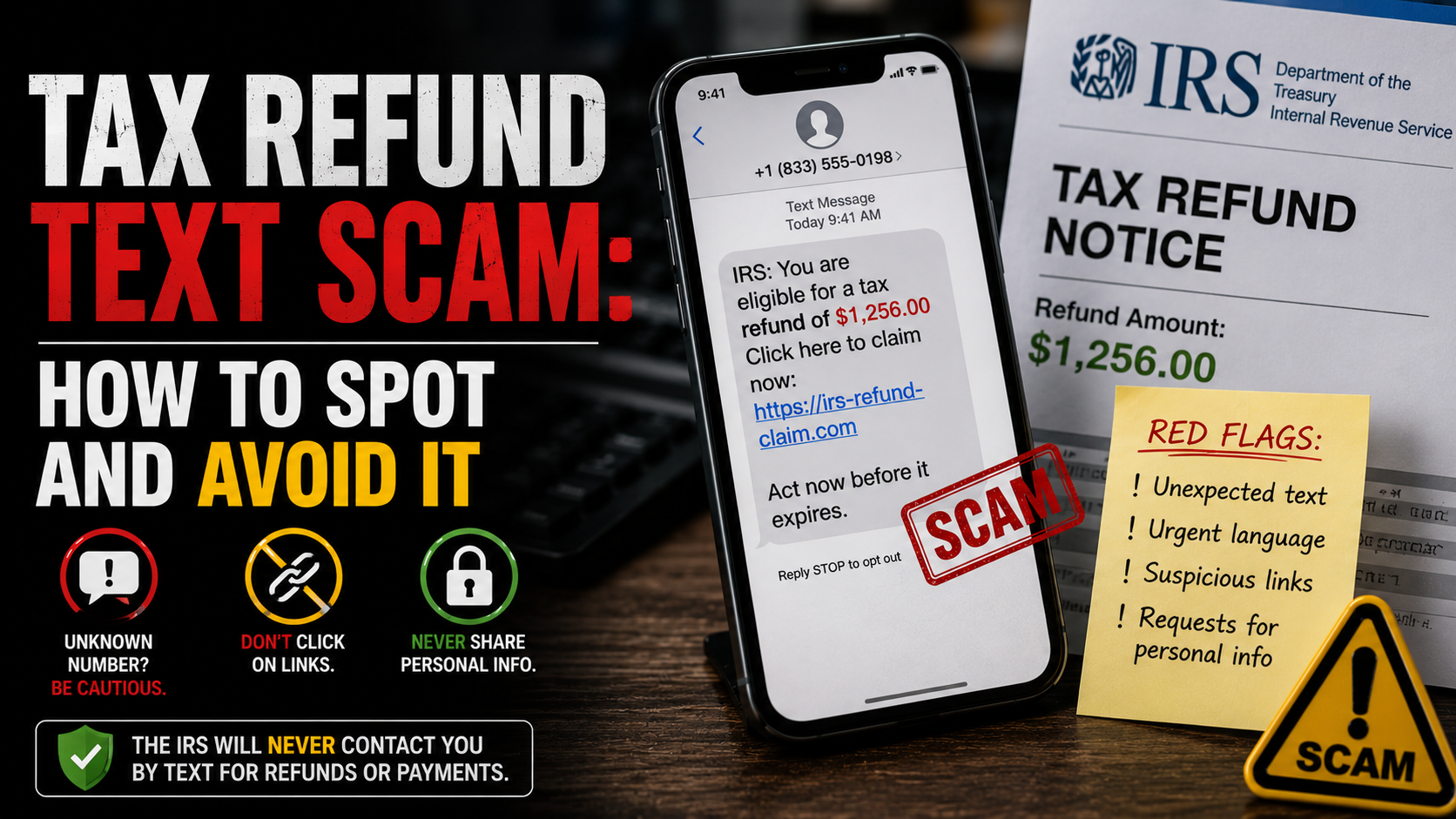
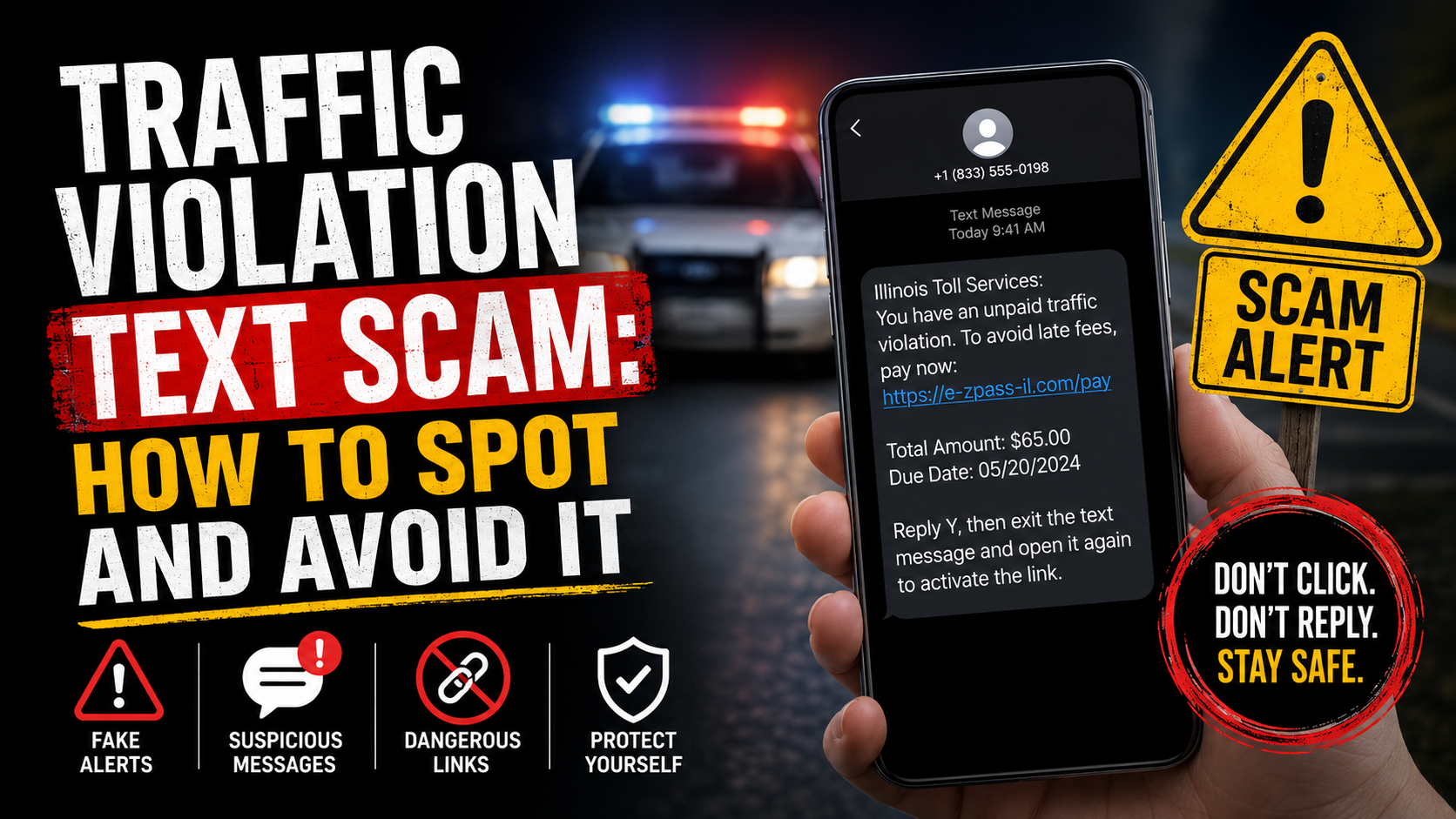
The smishing message arrives looking convincingly official. A typical text reads: “TfL: A Penalty Charge Notice has been issued against your vehicle. To avoid escalation and bailiff action, pay £40 within 24 hours at tfl-pcn-pay.com/notice/[random-string].” Sender names include “TfL,” “DVLA,” “Council Tax,” “Penalty Notice,” “London PCN,” or generic numeric short codes.
The message deliberately mimics a real PCN notification — short, urgent, low-amount (often £40-£80, mirroring real reduced-rate PCN payments within 14 days), and link-driven. The scam also uses iMessage and HTML email delivery to add the apparent legitimacy of a blue-bubble message or branded email rather than a plain SMS.
Step 3: The Look-Alike Domain
The link in the message never points to a real .gov.uk or tfl.gov.uk address. Instead it points to a look-alike domain — tfl-pcn-pay.com, ulez-pay-now.online, dvla-fines-uk.com, council-pcn-uk.net, or hundreds of similar variations. These domains are registered in bulk, rotated every few days as they get blocked, and hosted on infrastructure designed to evade takedown.
The look-alike domain in the PCN scam is the single most reliable verification check. Real UK government and TfL communications use exactly .gov.uk and tfl.gov.uk respectively — anything else, including .com, .net, .online, or hyphenated variations, is fraudulent. The .gov.uk suffix is restricted to registered UK public bodies and cannot be faked.
Step 4: The Phishing Form
When the victim clicks the link, the phishing landing page renders a near-perfect clone of the real TfL or council payment portal. The logo, fonts, colours, and layout are copied. The victim is prompted to enter a name, address, vehicle registration, driving licence number, and full card details — including the CVV — to pay the claimed amount.
The form processes the payment for the trivial sum, then thanks the victim and closes. To the victim, the PCN scam appears resolved. In reality, the card details have been captured and the larger fraud is just beginning.
Step 5: Card Monetisation
Once the criminals have card details from the PCN scam, monetisation begins. The card is typically used for high-value online purchases routed through reshipping mules, or sold in bulk on dark-web markets to other criminals. The small “fine payment” was a tiny test charge to verify the card was live.
Victims of the PCN scam often see fraudulent charges appear within hours or days. The amounts vary from a few hundred pounds to thousands. Card issuers usually reverse the charges under chargeback rules — but only if the victim reports promptly and through the right channels.
Step 6: Identity Layer-On
Beyond the immediate card fraud, the scam often harvests enough personal data to feed downstream identity theft. Name, address, driving licence number, and date of birth provide a foundation that criminals combine with data from other breaches to attempt new-account fraud, mobile carrier port-outs, and synthetic identity theft. This is why the PCN scam overlaps with our identity theft scams guide.
The 10 PCN Scam Warning Signs
🚩 The 10 Warning Signs of the PCN Scam
- 1. The PCN arrives by text or email instead of post. Real Penalty Charge Notices in the UK arrive by post to the registered keeper’s address first. Any PCN delivered as a first contact by SMS, iMessage, or email is the PCN scam — councils and TfL do not initiate enforcement through unsolicited messages.
- 2. The link is not .gov.uk or tfl.gov.uk. Real UK government and TfL payment portals use exactly these domains. Look-alikes like tfl-pcn.com, ulez-pay.online, dvla-fines-uk.net, or any hyphenated or alternative-TLD variant are confirmed criminal infrastructure. Check the URL character by character.
- 3. You do not own a vehicle, or your vehicle was nowhere near the claimed location. Real PCNs always reference a specific time, location, and vehicle registration that matches the registered keeper’s records. A PCN claiming a violation in a city you have never visited, or for a vehicle you do not own, is part of the PCN scam by definition.
- 4. The amount and deadline are aggressive. The PCN scam uses figures that mimic real reduced-rate PCN payments (£40-£80) and threatens bailiffs or court action within 24 hours. Real PCNs give 28 days to pay or challenge, with the reduced rate available for the first 14 days. Same-day demands are fraud.
- 5. The sender shows as a long number, a 5-digit short code, or a non-.gov.uk email domain. Councils and TfL never send transactional SMS messages and only email from official .gov.uk or .tfl.gov.uk domains. Any sender claiming to be from a council or TfL using Gmail, Yahoo, or look-alike domains is part of the PCN scam.
- 6. The message arrives by iMessage, WhatsApp, or any non-SMS channel. UK authorities do not communicate enforcement actions over consumer messaging apps. iMessage and WhatsApp variants of the PCN scam are designed to add false legitimacy through the blue-bubble or app-icon appearance.
- 7. The link requires you to enter full card details, including CVV, immediately. Real council and TfL payment portals support Apple Pay, Google Pay, and stored card credentials. Requiring full card data entry for a small fine is the tell — legitimate portals do not work that way.
- 8. The page asks for unrelated personal data. Phishing forms often request UK driving licence number, National Insurance number, or date of birth alongside payment. These have no role in paying a PCN — their presence confirms identity-theft intent on top of the card fraud.
- 9. The message arrives in a wave with multiple variations. Many PCN scam victims receive 2-3 versions over a few days from slightly different sender IDs as the criminals A/B test which messages convert. A repeated wave with shifting branding (TfL one day, council the next, DVLA the day after) is fraud, not a real enforcement issue.
- 10. You cannot find the PCN on the official portal. Visit the relevant council site or tfl.gov.uk directly and check using your vehicle registration. If no PCN exists in the official records, the texted notice does not exist — it is the PCN scam in progress.
PCN Scam UK Variants
5 VariantsThe PCN scam runs in several UK-specific flavours depending on which type of Penalty Charge Notice the criminals are impersonating. Each variant exploits a different real enforcement regime, but the playbook — fake notice, urgency, look-alike domain, phishing form — is identical. These are the five most common variants of the fraud.
TfL ULEZ PCN Scam
The London ULEZ variantCouncil Parking PCN Scam
The local council variantCongestion Charge PCN Scam
The central London variantBus Lane PCN Scam
The bus lane camera variantPrivate “Parking Charge Notice” Scam
The private parking variantReal Stories: When the Signs Were Missed
The Manchester Driver and the £85 Piccadilly Gardens PCN
A 38-year-old account manager from Manchester received a PCN scam email claiming he owed £85 for a traffic violation near Piccadilly Gardens. The email included a photograph of a vehicle resembling his and a 24-hour deadline. Because he had genuinely driven through central Manchester the previous day, the lure felt plausible. He clicked the link, entered his card details, and paid the £85.
Three days later, his bank flagged a £1,237 charge from an overseas electronics merchant. The bank reversed the fraudulent charge and issued a new card — but the criminals had also harvested his name, address, and phone number, which began appearing on phishing lists for unrelated frauds over the following months.
The lesson: a vehicle photograph in a digital message proves nothing — criminals scrape thousands of dashcam and CCTV-style stock images and pair them randomly with PCN scam emails. Real PCN evidence is provided only on the official council or TfL portal after entry of the actual reference number. Verifying directly at tfl.gov.uk or the relevant council’s .gov.uk page would have exposed the PCN scam in under thirty seconds.
The Croydon Resident Who Does Not Drive
A 67-year-old retiree in Croydon received four PCN scam texts over two weeks claiming unpaid ULEZ penalties. She does not own a car and has not held a driving licence in over a decade. The texts unnerved her enough to consider clicking, but her grandson recognised the pattern and reported them to Action Fraud on her behalf.
She had not been a victim — but her phone number was clearly on a circulated criminal list. Over the same period she received variants impersonating the DVLA, a fake “London Penalty Bureau,” and a council parking fine for a borough she had never visited. All from the same campaign infrastructure, rotated across the PCN brands.
The lesson: the scam targets phone numbers and email addresses, not actual drivers or vehicle owners. Receiving the message proves nothing about whether you have ever received a real PCN. If you do not own a vehicle, every PCN message is fraud by definition; if you do own one, verify only through the official .gov.uk or tfl.gov.uk channels.
The North London Family of Identity Theft Victims
A family of three in Wood Green clicked through a PCN scam text on a shared family iPad. The husband entered the requested card details, UK driving licence number, and date of birth to “verify the registered keeper.” Within twelve days, two new credit cards were opened in his name and a separate mobile contract was attempted using a SIM-swap of his existing number.
Over six months the family recovered most of the financial losses through bank chargebacks and Cifas Protective Registration — but spent dozens of hours filing reports, placing fraud alerts, and resetting accounts. Their credit files showed unauthorised inquiries that took eighteen months to fully clear.
The lesson: the PCN scam is not just about the small fine payment — it is the entry point to a broader identity-theft attack that exploits any extra data the victim provides. Driving licence number and date of birth have no role in paying a PCN. Their request in a payment form is the second-layer warning that this is not just a card-skimming operation.
What Authorities Say
UK consumer protection bodies and transport authorities have all issued public warnings about the PCN scam and the broader civil-penalty-smishing wave it belongs to.
Action Fraud, the UK’s national reporting centre for fraud and cybercrime, has issued multiple alerts about the PCN scam since the ULEZ expansion in 2023. Action Fraud confirms that real PCNs arrive by post to the registered keeper’s address and that no UK authority will demand same-day payment by SMS or email. Report at actionfraud.police.uk or call 0300 123 2040.
Transport for London (TfL) has issued repeated public warnings about the PCN scam on the official site at tfl.gov.uk. TfL confirms it never sends payment-due SMS messages or emails as first contact, and operates only the tfl.gov.uk domain. Any TfL-branded text or email demanding payment is the PCN scam by definition.
The DVLA has issued public warnings clarifying that it does not send unsolicited SMS messages about vehicle penalties or registration issues. Any DVLA-branded text demanding payment, refund, or “verification” is part of the PCN scam family and should be reported to Action Fraud immediately.
The National Cyber Security Centre (NCSC) operates the 7726 SMS reporting code in partnership with UK mobile carriers. Forwarding any PCN scam text to 7726 helps carriers block the sender at the network level and feeds the NCSC’s takedown effort. The service is free, available on all UK networks, and works for any suspicious SMS, not just PCN-related ones.
Citizens Advice publishes a regularly updated scam alert tracker that covers the PCN scam alongside other UK consumer frauds. Their guidance for victims is published at citizensadvice.org.uk with practical recovery steps for chargebacks and credit-file repair after a successful PCN scam.
How to Protect Yourself
Treat Every Digital PCN as Fraud by Default
The single most effective protection against the scam is to treat any PCN that arrives by SMS, iMessage, WhatsApp, or email as fraud, regardless of how authentic it looks. TfL, all UK local councils, and the DVLA have publicly confirmed they do not initiate enforcement through these channels. The arrival of the message is itself the proof of the fraud.
This single rule defeats the overwhelming majority of PCN-related fraud at first contact. The criminals depend on the small fraction of recipients who do not know the rule. Once you know it, the PCN scam cannot reach you regardless of how convincing the message appears.
Verify Only via .gov.uk and tfl.gov.uk
If you genuinely think you might have an outstanding PCN, type the relevant authority’s URL directly into your browser. For London, that is tfl.gov.uk for ULEZ and congestion charges. For local council PCNs, find your council on gov.uk and follow its parking links. Do not click any link in any text or email. Do not search “pay pcn” and click the first result — sponsored search ads for PCN scam look-alikes have been documented across Google and Bing.
You can also call the relevant authority directly using the number on the official site. For TfL: 0343 222 2222. For your local council, find the number on gov.uk. If the message wants you to call a different number, that number is part of the criminal infrastructure.
Forward Suspicious Texts to 7726
All major UK mobile carriers support the 7726 (SPAM) reporting short code in partnership with the NCSC. Forward the PCN scam text to 7726 and the carrier’s spam-filtering system processes it — helping block similar messages to other customers and contributing data to the takedown effort.
Forwarding is free, takes seconds, and works regardless of carrier. After forwarding, delete the PCN scam text from your inbox so you do not accidentally tap the link later.
Block the Sender and Report on iMessage
On iPhone, long-press the PCN scam message and choose “Report Junk” — Apple’s built-in tool that reports the sender to Apple for blocking. On Android, use the “Report spam” option in your messaging app. For emails, use your provider’s “Report phishing” option in Gmail or Outlook — both report the message to the provider and to the wider phishing-blocklist ecosystem.
Block the sender afterwards so future PCN scam variants from the same source do not reach your inbox. The criminals will rotate to new numbers and addresses, but blocking each one slows them down.
Never Enter Card Details After Clicking an SMS or Email Link
If you accidentally clicked a PCN scam link, close the tab immediately. Do not enter any details — name, email, card number, anything. Closing the tab before entering data means no information was captured beyond the click event itself, which by itself is not enough for the criminals to use against you.
If you did enter data, contact your card issuer through the number on the back of the card and request a fraud freeze. Then change passwords on any account that uses the same email address you entered.
Educate Family Members — Especially Elderly Drivers and Non-Drivers
The PCN scam disproportionately targets older recipients and those unfamiliar with modern enforcement systems. Share this guide with elderly relatives, especially non-drivers who may not realise they cannot possibly have a real PCN. Explain that no UK authority — TfL, the DVLA, or any council — sends payment-due texts or first-contact emails about PCNs.
One conversation prevents the PCN scam from reaching the most-targeted demographic. Most prevention happens at this conversation, not at the bank’s fraud department after the fact.
Watch Card Activity for Weeks After Any Click
Even if you only clicked the PCN scam link without entering anything, the criminals now know your phone number or email actively engages with their messages. You will likely receive more smishing attempts. Watch card and bank activity for at least 30 days after any click, and enable transaction alerts on every account so unauthorised charges surface immediately.
What to Do If You Have Been Targeted
If you have already entered card details or personal information through a PCN scam link, act quickly. The steps below give you the best chance of limiting the damage and preventing the downstream identity-theft attacks that often follow.
Contact your card issuer immediately
Call your UK bank or card issuer using the number on the back of your card. Report the PCN scam transaction and request a fraud freeze on the card. Most issuers will block the card, issue a new one, and reverse any fraudulent charges under chargeback rules — but only if you report promptly and through the correct fraud line.
Speed is critical with the PCN scam because the criminals typically use harvested cards within hours of capture. The earlier you call your issuer, the more of the downstream fraud you cut short.
Report to Action Fraud
File a report at actionfraud.police.uk or call 0300 123 2040. Include the sender number, the message content, the look-alike URL, and any amount paid. Action Fraud passes reports to the National Fraud Intelligence Bureau for investigation and uses the data to coordinate takedowns of criminal infrastructure.
Forward the original SMS to 7726 (SPAM) at the same time. Carrier-level reporting and Action Fraud reporting feed different systems — both contribute to disrupting the criminal infrastructure.
Contact TfL or your council directly
Report the impersonation to TfL via the contact page at tfl.gov.uk, or to your local council via the official gov.uk page. Include screenshots of the message and the look-alike URL. TfL and councils work with the NCSC and police to take down fake PCN domains, and the more reports they receive the faster the takedowns happen.
If you have a genuine TfL or council parking account, log in directly and check for any unauthorised changes. The scam typically only steals payment data, but some campaigns also attempt to compromise the underlying account if the victim reused their account password.
Protect against downstream identity theft
If you provided UK driving licence number, National Insurance number, address, or date of birth, assume identity-theft attempts are coming. Sign up for Cifas Protective Registration — a UK fraud-prevention service that flags your identity to lenders so additional checks are required for new accounts.
Also request your statutory credit reports from Experian, Equifax, and TransUnion to check for unauthorised inquiries. Visit actionfraud.police.uk for tailored victim-support links.
Watch for follow-up recovery scams
Victims are often targeted next by “recovery” scams — cold-callers claiming they can retrieve the lost funds for an upfront fee. These are secondary frauds run by the same criminal networks using sold victim lists. Treat any cold-caller offering PCN scam recovery as a follow-up fraud and refuse all engagement.
Legitimate recovery routes are your card issuer, Action Fraud, and the credit bureaus — none of which charge upfront fees. Recovery-fee demands are the surest sign of the PCN scam version two.
Where to Report It
Reporting the PCN scam helps UK authorities take down the infrastructure, warn future victims, and pursue the criminal networks behind the campaign. Use all four channels — they feed different systems.
Frequently Asked Questions
Think You have Been Scammed?
Act fast — contact your card issuer, report to Action Fraud, and forward the text to 7726.