
Introduction
A phishing scam is one of the most common and dangerous threats people face online today. It can arrive by email, text message, phone call, social media message, or even through a fake website that looks almost identical to a real one. The goal is simple: trick you into handing over personal information, passwords, banking details, or money.
What makes a phishing scam especially harmful is that it often looks legitimate at first glance. A message may appear to come from your bank, a delivery company, a government agency, your workplace, or a popular online service. Many people do not realize they are being targeted until after they have clicked a link, entered a password, or shared financial information.
Staying informed matters because scammers constantly adapt. They change their wording, use current events, copy trusted brands, and create a sense of urgency to pressure victims into acting fast. The Federal Trade Commission describes phishing as an online scam that often impersonates a well-known source to steal personal information, and FTC consumer guidance warns people to report phishing messages and take immediate action if they respond.
This guide from Scammers Expose explains what a phishing scam is, how the phishing scam works, the red flags to watch for, and what to do if you have already been targeted. Whether you are trying to protect yourself, your family, or your business, understanding the warning signs can help you avoid financial loss and identity theft.
What Is the Phishing Scam Scam?
A phishing scam is a fraud tactic in which criminals pretend to be a trusted person, company, or institution to trick victims into revealing sensitive information or sending money. The “bait” may look harmless or even helpful, but the real purpose is theft.
In many cases, the scammer wants one of the following:
- Login usernames and passwords
- Bank account details
- Credit or debit card numbers
- Social Security numbers or other identity documents
- One-time passcodes or verification codes
- Remote access to a device
- Direct payment through wire transfer, gift cards, or cryptocurrency
A phishing scam may target just one person, or it may be sent to thousands of people at once. Some versions are broad and generic, while others are highly personalized. When scammers research a victim and craft a more convincing message, that is often called spear phishing.
The phishing scam scam usually depends on one key trick: impersonation. The criminal wants the victim to believe the message is real. That is why phishing messages often copy logos, business names, email layouts, and writing styles from legitimate organizations.
For example, a victim might receive a message saying:
- “Your bank account has been locked. Verify your identity now.”
- “Your package delivery failed. Click here to reschedule.”
- “Unusual sign-in detected. Confirm your password immediately.”
- “You owe a tax payment. Act now to avoid penalties.”
- “Your account will be suspended unless you update your details.”
These messages are designed to create fear, urgency, or curiosity. Instead of carefully checking the source, many people respond quickly because they worry about losing access to an account, missing a delivery, or facing legal trouble.
The FTC’s phishing guidance specifically notes that phishing emails and texts often try to get you to click a link, open an attachment, or provide personal information, while CISA explains that phishing remains a commonly used technique for initiating cyberattacks.
How the Phishing Scam Scam Works (Step-by-Step)
Understanding how the phishing scam scam works is one of the best ways to protect yourself. While the exact details vary, most attacks follow a similar pattern.
1. The Scammer Chooses a Trusted Identity
The scammer starts by deciding who to impersonate. This could be:
- A bank
- PayPal or another payment service
- Amazon or a delivery company
- A government agency
- A mobile phone provider
- A streaming service
- Your employer or HR department
- A friend, coworker, or family member
The more familiar the name, the more believable the message appears.
2. A Fake Message Is Sent
Next, the attacker sends a message by email, SMS, social media, or messaging app. Sometimes the message is short and vague. Other times it is detailed and highly polished.
Common examples include:
- Security alerts
- Invoice notifications
- Password reset notices
- Delivery failure messages
- Tax refund messages
- Account suspension warnings
- Fake fraud alerts
The message nearly always pushes the victim to act quickly.
3. The Victim Is Pressured to Click or Reply
This is where social engineering comes in. The scammer wants the victim to feel:
- Alarmed
- Rushed
- Confused
- Curious
- Afraid of consequences
Many phishing messages use phrases such as:
- “Immediate action required”
- “Your account will be closed today”
- “Unauthorized login detected”
- “Payment failed”
- “Confirm your identity now”
This emotional pressure reduces the chance that the victim will stop and verify the message.
4. The Victim Is Redirected to a Fake Website or Asked for Information
After clicking the link, the victim may land on a fake website that closely resembles the real site. The page may ask for:
- Email and password
- Banking credentials
- Card information
- Personal identification details
- Two-factor authentication codes
In other cases, the scammer asks the victim to open an attachment, call a fake support number, or reply directly with sensitive data.
5. The Scammer Collects Credentials or Installs Malware
Once the victim interacts, the attacker may:
- Capture login details
- Intercept card data
- Download malware onto the victim’s device
- Gain remote access
- Use stolen data for identity theft
- Try the same password on other accounts
FTC consumer advice says phishing attacks may also use attachments or harmful links that can install malicious software.
6. The Criminal Uses the Information
After the data is stolen, the scam can escalate quickly. The attacker might:
- Drain a bank account
- Make fraudulent purchases
- Access email or social media accounts
- Reset passwords on other accounts
- Impersonate the victim
- Sell the stolen information to other criminals
This is why a phishing scam is not “just a suspicious email.” A single click can lead to financial fraud, identity theft, and account takeover.
7. The Scammer Covers Their Tracks and Moves On
Phishing scammers (Phishing Scam) often operate at scale. They may use fake domains, temporary email addresses, spoofed phone numbers, or copied branding. Once a site is reported or shut down, they launch a new version under a different name.
That constant reinvention is one reason phishing scams remain so widespread.
Red Flags and Warning Signs
A phishing scam often becomes easier to spot when you know the common signs. Watch for these red flags:
- Messages that create panic or urgency
- Threats that your account will be locked, suspended, or closed
- Requests for passwords, verification codes, or banking details
- Emails or texts asking you to click a link right away
- Suspicious sender addresses that do not match the real company
- Slightly misspelled website domains
- Generic greetings such as “Dear Customer”
- Unusual grammar, spelling, or awkward wording
- Attachments you were not expecting
- Messages claiming there is a billing problem, refund, or failed delivery
- Requests to pay with gift cards, crypto, or wire transfer
- Links that lead to pages asking for too much information
- A message that looks real but feels “off”
- Unexpected MFA or password reset prompts
- Calls or texts asking you to “confirm” a code you did not request
Another warning sign is a message that tells you not to contact the company directly, and instead insists that you use the provided link or number. (Phishing Scam) Legitimate organizations generally encourage customers to use official channels, not pressure them into instant action through a suspicious message.
The FTC advises people not to click links or respond to unexpected requests for personal information and to verify the claim by contacting the company using a number or website they know is real.
Victim Stories or Realistic Examples
Real-world phishing attacks often look ordinary at first. Here are three realistic, anonymized examples that show how the phishing scam scam can play out.
Example 1: The Fake Bank Fraud Alert
A woman received a text message that appeared to come from her bank. It said there had been suspicious activity on her debit card and that she needed to confirm her identity immediately.
The message included a link to a page that looked like her bank’s login screen. She entered her username, password, and a one-time code sent to her phone. Within minutes, scammers accessed her real account and transferred money out.
She only realized something was wrong when she later opened her banking app directly and saw unauthorized transactions.
What went wrong:
- She trusted the text because it used her bank’s name
- She clicked the link instead of opening the bank app directly
- She entered a security code on a fake page
Example 2: The Delivery Failure Text
A man expecting an online order got a text saying his package could not be delivered because of an address issue. The message asked him to click a link and pay a small redelivery fee.
The site looked professional, so he entered his card details. The small fee never processed, but later that evening his card was used for several fraudulent purchases.
In this case, the delivery message was simply bait to steal payment information.
What went wrong:
- He was already expecting a package, so the message felt believable
- The small “fee” lowered his suspicion
- He trusted the site because it looked polished
Example 3: The Work Email Impersonation
An employee received an urgent email that appeared to be from the company’s IT department. It said there had been suspicious activity on employee accounts and everyone needed to reset passwords before the end of the day.
The email linked to a fake company login portal. The employee entered work credentials, which gave attackers access to internal systems. The criminal then used that account to send more phishing emails inside the company.
What went wrong:
- The message used internal company language
- The deadline created pressure
- The fake login page closely matched the real one
These examples show why phishing scams are so effective. They do not always look sloppy or obvious. They often succeed because they arrive at the right moment and exploit trust, routine, or fear.
How to Protect Yourself from the Phishing Scam Scam
The best defense against a phishing scam is a combination of caution, habits, and account security (Phishing Scam) . Here are practical ways to reduce your risk.
Slow Down Before You Click
Scammers depend on speed. They want you to react before you think.
Pause if a message says:
- Act immediately
- Your account is in danger
- A payment failed
- A package is delayed
- You must verify personal information now
Take a moment to inspect the message instead of following its instructions.
Go Directly to the Source
Never rely on the link or phone number included in a suspicious message.
Instead:
- Open the company’s official app
- Type the known website address yourself
- Use the number listed on your bank card or official statement
- Log in through your usual method
This simple step can stop many phishing attempts.
Check the Sender Carefully
Look beyond the display name. A phishing email may say it is from a trusted brand while using a strange or unrelated email address.
Watch for:
- Extra letters or numbers
- Slight misspellings
- Unusual domains
- Public email services pretending to be a company
Inspect Links Before Clicking
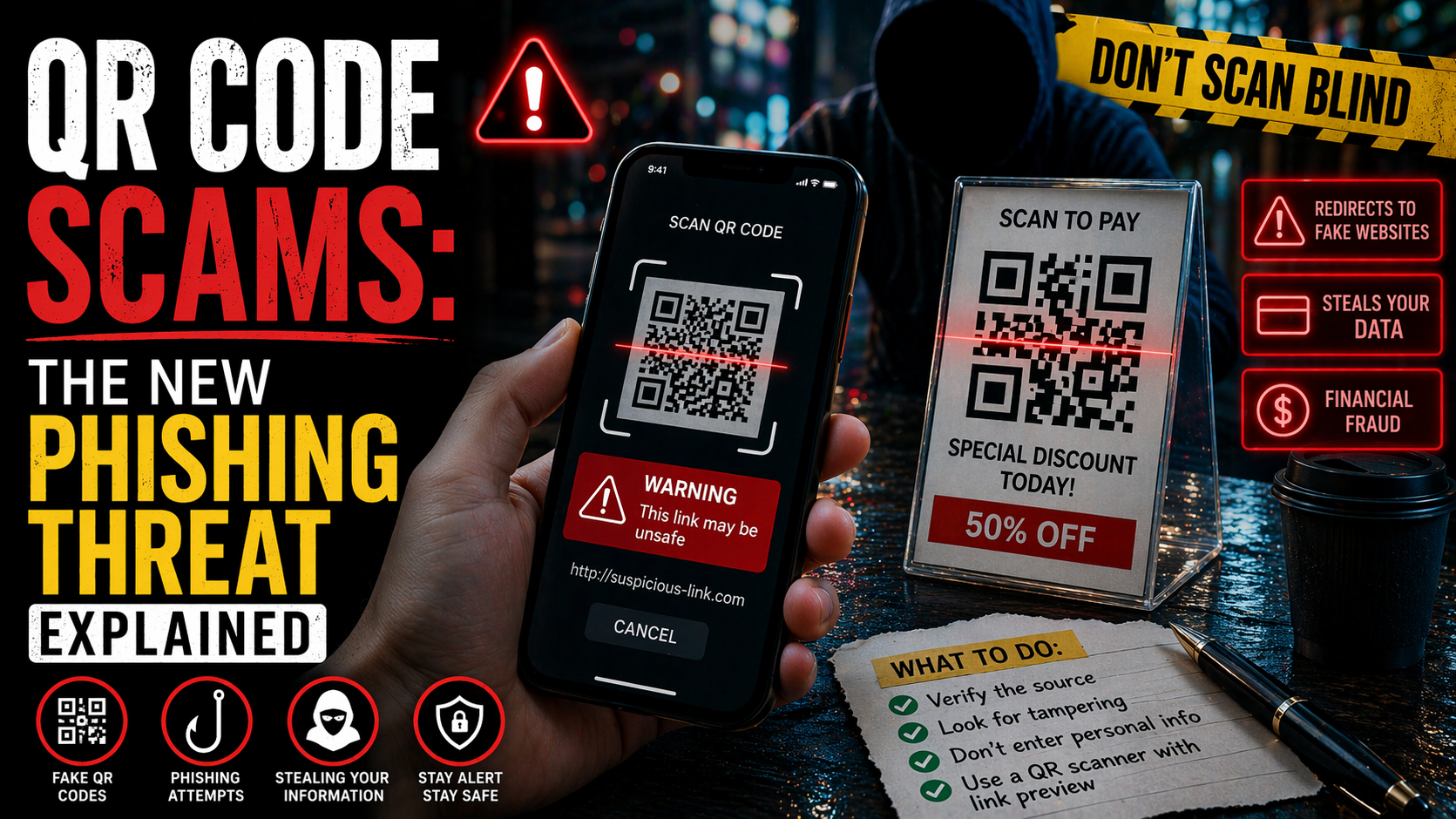
On many devices, you can hover over or press and hold a link to preview where it leads.
Be cautious if the link:
- Does not match the claimed organization
- Uses a shortened URL
- Includes random letters or symbols
- Uses a lookalike domain
Use Strong, Unique Passwords
If you reuse passwords, one phishing attack can unlock multiple accounts. Use a different password for each important account, especially for:
- Banking
- Shopping accounts
- Social media
- Cloud storage
A password manager can help you create and store strong, unique passwords.
Turn On Multi-Factor Authentication
Multi-factor authentication adds another layer of protection. Even if a scammer steals your password, they may not be able to access your account without the second step.
However, be careful: some phishing scams try to steal MFA codes too. Never give a verification code to someone who contacted you unexpectedly.
CISA has also emphasized the importance of stronger phishing-resistant authentication approaches where possible.
Keep Devices and Security Software Updated
Security updates can protect against malware delivered through phishing links or attachments.
Make sure to:
- Update your phone and computer regularly
- Use reputable antivirus or security tools
- Install browser and app updates promptly
Be Skeptical of Attachments
Do not open unexpected attachments, especially from unknown senders (Phishing Scam) . Even if the email appears to come from someone you know, contact them another way if the attachment seems unusual.
Learn Common Scam Themes
Many phishing campaigns reuse the same themes:
- Fraud alerts
- Missed deliveries
- Tax issues
- Fake invoices
- Password reset requests
- Prize notices
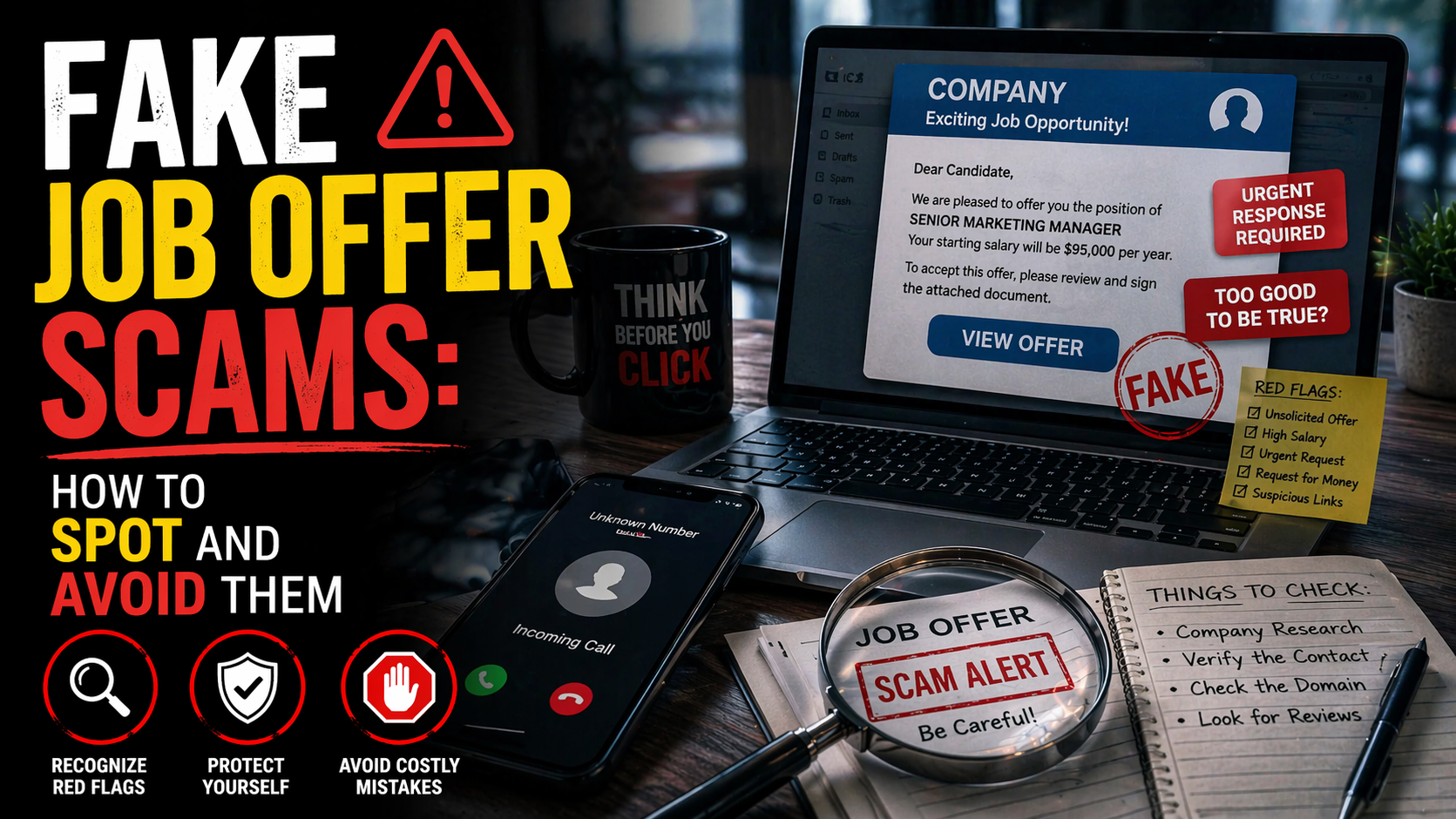
- Employment offers
- Tech support warnings
Once you recognize the patterns, you are less likely to fall for them.
Teach Family Members and Coworkers
Children, older adults, and busy employees are frequent targets. Talk openly about phishing scam tactics and encourage everyone to verify suspicious messages before acting.
Use Official Reporting Tools
If you receive a phishing email or text, reporting it can help stop similar attacks from reaching others. The FTC advises forwarding phishing texts to 7726 (SPAM), forwarding phishing emails to the Anti-Phishing Working Group, and reporting the scam through ReportFraud.ftc.gov.
For additional prevention tips, readers can review the FTC’s guide on how to recognize and avoid phishing scams.
What to Do If You’ve Been Scammed
If you think you responded to a phishing scam, act quickly. Fast action can reduce the damage.
Change Compromised Passwords Immediately
Change the password for the affected account first. Then change any other accounts that use the same or a similar password.
Start with:
- Email accounts
- Banking apps
- Shopping accounts
- Cloud storage
- Social media
Your email account is especially important because it may be used to reset passwords elsewhere.
Enable or Reset MFA
Turn on multi-factor authentication if it was not already enabled (Phishing Scam) . If you shared a code with a scammer or suspect account access, review your MFA settings and remove unknown devices or sessions.
Contact Your Bank or Card Provider
If you gave financial information or made a payment:
- Call your bank right away
- Report unauthorized transactions
- Ask them to freeze or monitor the account
- Request a replacement card if necessary
- Dispute fraudulent charges
The sooner you alert your bank or card issuer, the better your chance of limiting losses.
Scan Your Device for Malware
If you clicked a suspicious link or opened an attachment:
- Update your security software
- Run a full malware scan
- Remove anything flagged
- Consider professional help if the device behaves oddly
FTC advice says that if you clicked a link or opened an attachment that downloaded harmful software, you should update security tools and run a scan.
Watch for Identity Theft
If you shared personal identity information, monitor for signs of misuse:
- New accounts opened in your name
- Credit inquiries you do not recognize
- Bills for services you never used
- Mail or calls about unknown accounts
If identity information was exposed, the FTC directs consumers to IdentityTheft.gov for tailored recovery steps.
Notify Relevant Accounts or Employers
If the phishing message involved a work email, school account, or shared platform, alert the appropriate administrator immediately. A compromised account can be used to target coworkers, customers, or family members.
Save Evidence
Keep screenshots, emails, text messages, payment receipts, and website addresses if you still have them. This documentation can help banks, investigators, and reporting agencies understand what happened.
Warn Your Contacts if Necessary
If your email or social media account was compromised (Phishing Scam) , tell your contacts that suspicious messages may have come from you. That can prevent the scam from spreading.
Where and How to Report the Scam
Reporting a phishing scam helps more than just one victim. It gives agencies and platforms data they can use to identify trends, warn the public, and disrupt criminal activity.
Report to the FTC
The FTC accepts scam reports at reportfraud.ftc.gov, including phishing attempts and related fraud. The agency says these reports help build cases, track patterns, and educate the public.
Report Identity Theft if Personal Data Was Stolen
If the phishing scam led to identity theft or exposed sensitive identity details, use IdentityTheft.gov for step-by-step recovery guidance. FTC consumer resources specifically recommend this when scammers get information such as Social Security numbers or bank account details.
Report to Your Bank or Credit Card Provider
If you gave card details, banking credentials, or made a payment:
- Contact your financial institution immediately
- Ask them to review transactions
- Freeze or replace cards if needed
- Document your report number or case reference
Report to Local Law Enforcement
While local police may not always be able to recover stolen funds, filing a report can still be useful for documentation, especially if identity theft, large losses, or ongoing harassment is involved.
Report to the Relevant Platform or Company
You should also report the scam to the organization being impersonated or the platform where the message appeared, such as:
- Your email provider
- A social media platform
- A mobile carrier
- An online marketplace
- The real company whose name was used in the scam
Many legitimate companies have abuse or phishing reporting channels on their websites.
Report Phishing Emails and Texts
FTC guidance recommends:
- Forward phishing emails to reportphishing@apwg.org
- Forward phishing texts to 7726 (SPAM)
- Report the incident through ReportFraud.ftc.gov
Consider Reporting Serious Cyber Incidents to CISA
CISA also maintains reporting channels for phishing and cyber incidents, especially where broader cybersecurity issues may be involved.
Conclusion and Call to Action
A phishing scam can happen to anyone. It does not only target careless people or those who are unfamiliar with technology. In fact, many phishing attacks are effective because they look legitimate, arrive at the right moment, and exploit normal human reactions like fear, urgency, or trust.
The key lessons are simple:
- Be cautious with unexpected messages
- Do not click suspicious links
- Never share passwords or verification codes through unverified channels
- Contact companies directly through official websites or apps
- Act fast if you think your information has been exposed
- Report the scam so others can be protected
The more people understand how the phishing scam scam works, the harder it becomes for criminals to succeed. Awareness is one of the strongest defenses.
If this article helped you better understand the phishing scam, please share it with friends, family, and coworkers. A quick share could help someone recognize the warning signs before they lose money, personal data, or access to important accounts.
If you want, I can also turn this into a more polished website-ready version with meta title, meta description, slug, FAQ section, and internal link suggestions for Scammers Expose.
Visit our news section to stay updated with the latest developments in the case (Phishing Scam) . For more insights into financial fraud and investor protection, visit Scammers Expose.

Leave a Reply